LESS PROGRAMMING. MORE MUSIC.
Let the music run your lighting.
A slider desk can give you a few reliable looks. Building and running a changing show adds work: learn the channel map, save scenes, build chases and choose when they play. Very Lit brings the rig into a visual design space and lets live music drive the lighting.
See Demo →Choose the work you want to do
- With a basic desk, you build looks with channel faders and store them for playback.
- With Very Lit, you arrange your fixtures in the browser, preview the whole rig in 3D and choose lighting modes and palettes.
- For physical output, Very Lit needs your Mac, audio input and a compatible ENTTEC DMX USB Pro or Art-Net node. No dedicated Very Lit controller purchase is required.
Very Lit’s path from design to dance floor
THE DIFFERENCE 1
Faders give you control. They also give you work.
A small lighting board is useful when you want direct control over a handful of static looks. To build a changing show, you select fixtures, adjust their channels and save the combinations you want to recall. Different fixture modes mean different channel maps to learn.
Very Lit still needs an accurate fixture patch, but its library identifies the channel layout. Choose the matching model and mode, then work with the rig in the editor instead of rebuilding the show one fader value at a time.
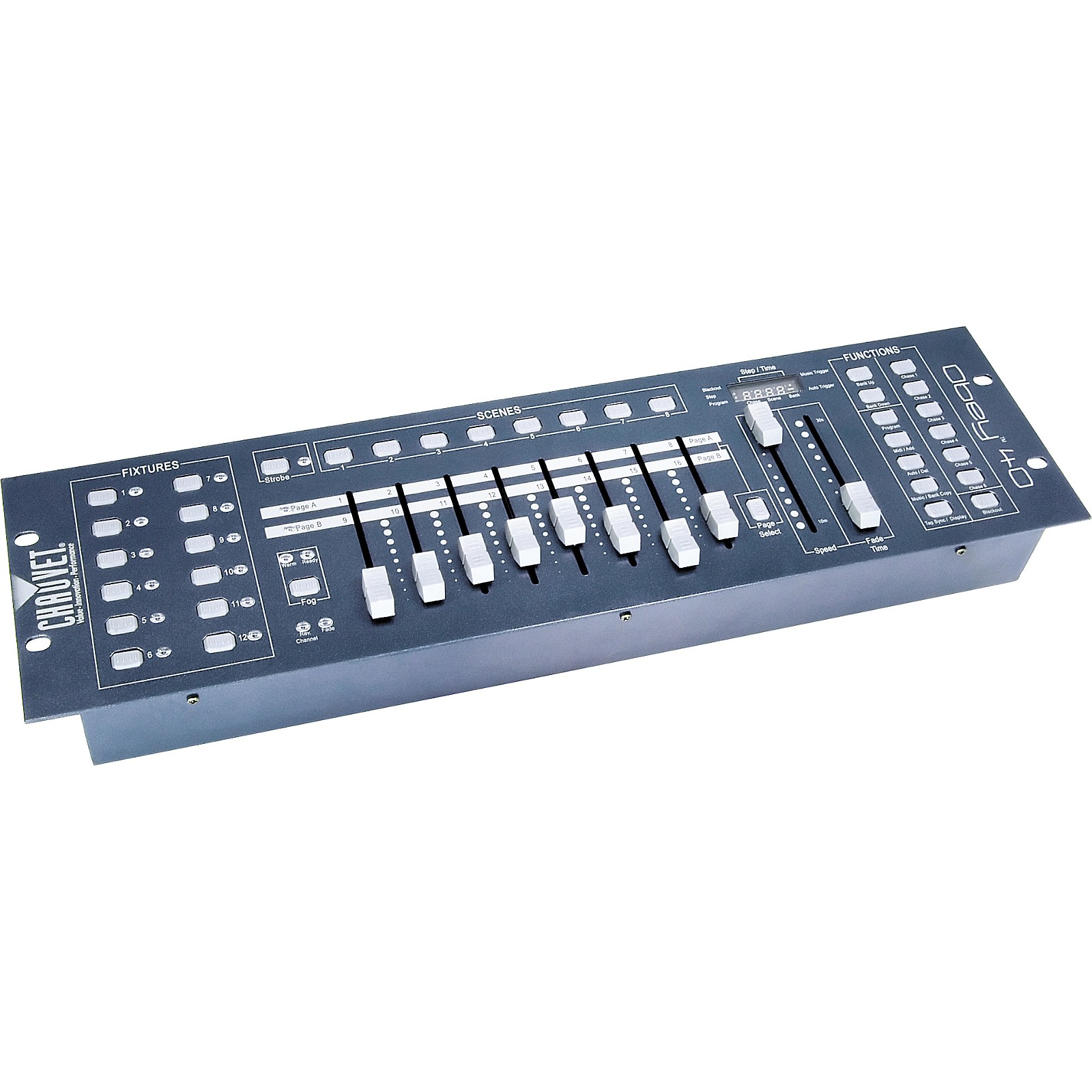
Photo: Guitar Center / CHAUVET DJ ↗
THE DIFFERENCE 2
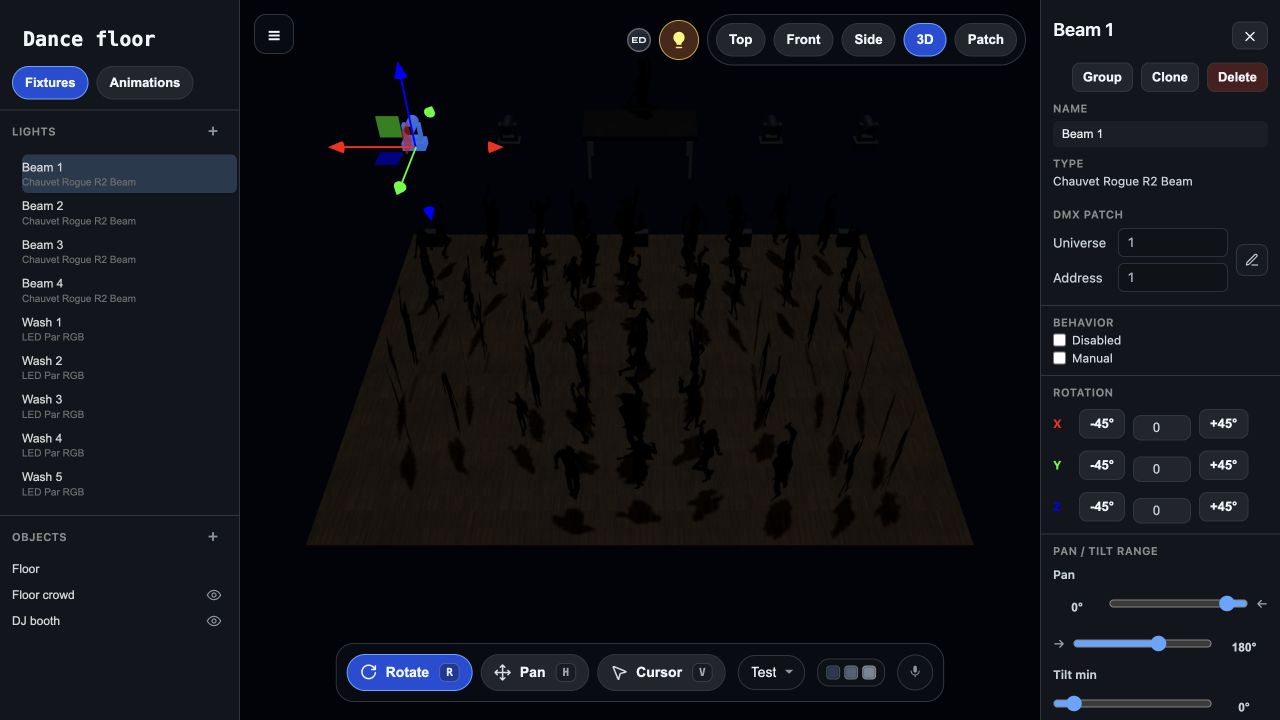
See the whole room before the show.
A basic desk tells you what values you are sending; it does not give you a 3D view of where the fixtures sit or how the whole rig looks together. You usually judge those choices by watching the physical lights.
Very Lit gives you an online 3D design space. Place fixtures, set their height and mounting angles, and preview lighting modes and color schemes on your virtual rig before connecting the lights. You can explore the show before load-in.
THE DIFFERENCE 3
Follow the music without programming every change.
A scene recalls a saved look. A chase plays saved looks in sequence. On a basic desk, a sound-triggered chase advances those prepared steps; you still decide what the sequence contains. You can run a chase automatically, but its looks are the ones you programmed.
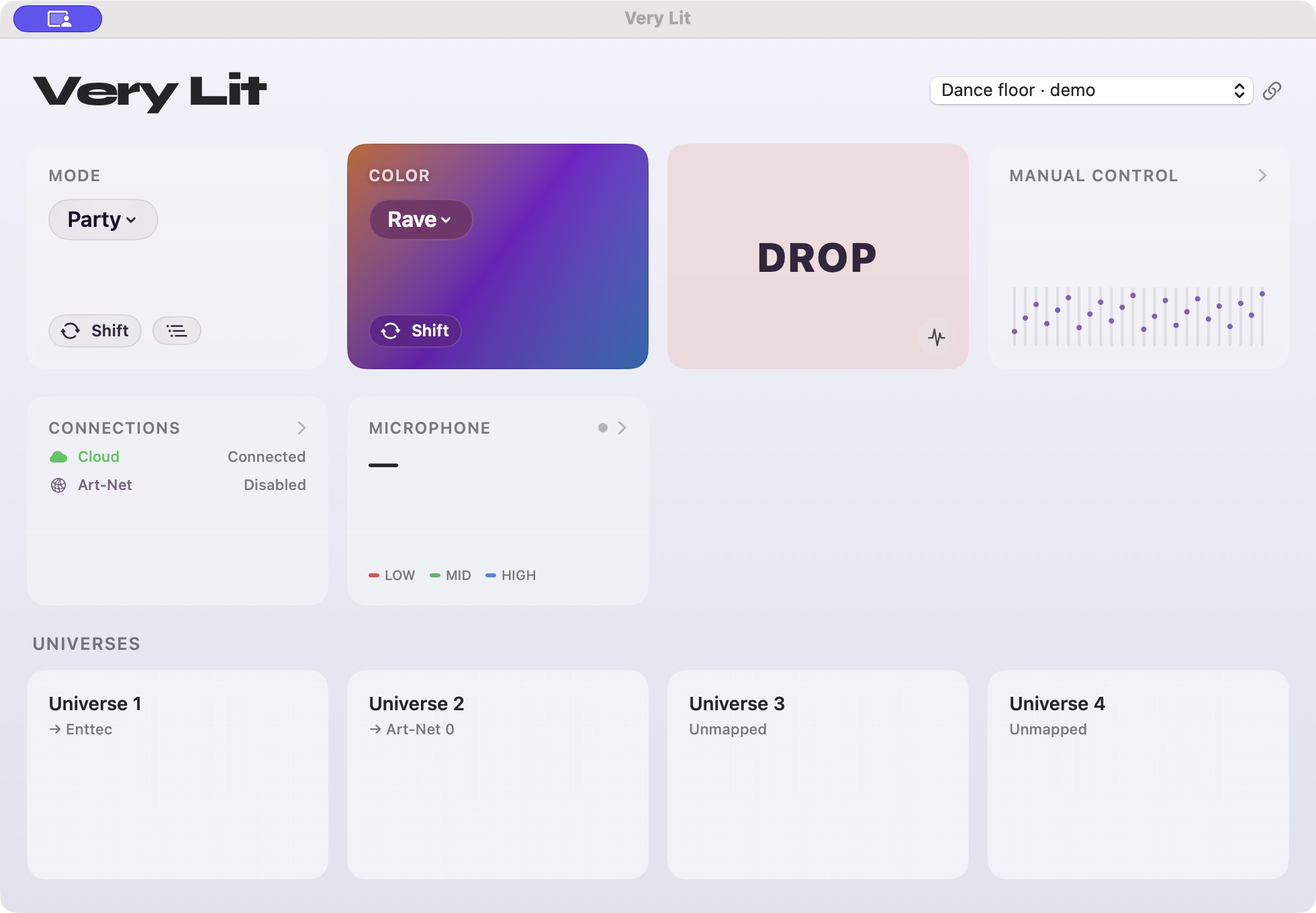
Very Lit responds to live audio with color, movement and effects across your patched rig. Choose modes and palettes when you want to steer the show, while the music-reactive engine handles the ongoing changes. For a DJ set, that leaves more attention for the music and the crowd.
This comparison is with basic channel-and-scene desks. Larger professional consoles offer more advanced effects and automation; compare those workflows on our full comparison page.
THE DIFFERENCE 4
Run the show from the laptop you bring.
The browser is where you design and simulate. The Mac bridge receives your audio and sends the lighting output through an ENTTEC DMX USB Pro or Art-Net node. You do not need to buy a dedicated Very Lit controller or a lighting console.
Your existing DMX fixtures still need power, cables and matching modes and addresses. When switching from a board, use one DMX source on a line at a time. Test the physical output, then let the bridge run the music-reactive show.
Which workflow fits your show?
When does a basic lighting board make sense?
A small desk can be a good fit for a few static looks, tactile channel control or an existing programmed chase. Very Lit is a better fit when you want visual planning and music-reactive changes across a DJ set without building a library of scenes first.
Can I design and simulate without DMX hardware?
Yes. Use the browser editor to build your rig and preview the show. To run physical lights, connect the Mac bridge to supported output hardware and provide an audio input.
Will software remove every setup step?
You still need to connect the fixtures, select their modes and match their addresses to the patch. Very Lit reduces the scene-programming and ongoing operation work; it does not replace the physical wiring and checks.
Try a rig in Very Lit.
Open the Nightclub show and try the 3D simulation before connecting hardware.
See Demo →See how the editor works → · Compare all lighting workflows →