FIXTURE SETUP
Choose the right mode for an LED bar.
A bar can expose one color wash or many separately addressed cells. The selected mode determines both its channel footprint and the controls available to the show.
Check your model in the library →Before you start
- Exact bar model and mode from the fixture menu.
- Enough consecutive addresses for the full footprint in one universe.
COLORband PiX: whole bar or individual cells
R + G + B = 3 channels
12 cells × 3 color channels = 36 channels
Models and modes in the library
Selected examples below. Search your full model name to see all matching entries. Use the same mode on the fixture and in Add Light.
| Fixture profile | DMX modes |
|---|---|
| Chauvet DJ COLORband PiX | 3-channel · 4-channel · 6-channel · 7-channel · 9-channel · 12-channel · 18-channel · 36-channel |
| Chauvet DJ COLORband PiX IP | 3-channel · 4-channel · 6-channel · 7-channel · 9-channel · 12-channel · 18-channel · 36-channel |
| Rockville Motionstrip 38Dedicated Very Lit profile | 38-channel |
STEP 1
Choose the mode before assigning addresses
In Add Light, search for the exact model and select the mode shown on the bar’s menu. The original COLORband PiX catalog entry offers 3, 4, 6, 7, 9, 12, 18 and 36 channels. Its 3-channel mode controls a whole-bar RGB wash; its 36-channel mode exposes 12 RGB cells.
Choose a mode the library lists for your model. A PiX, PiX IP and PiX-M ILS are different models; do not assume their definitions match.
STEP 2
Reserve a complete block for each bar
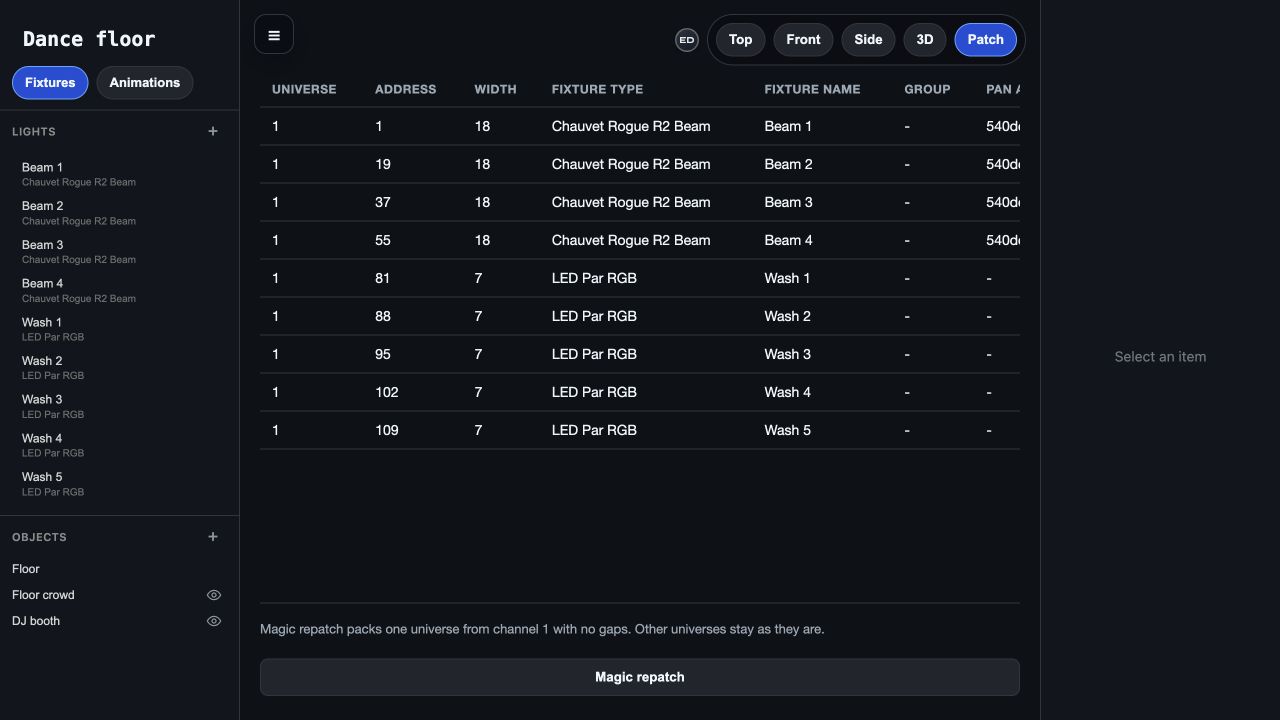
Two bars in 36-channel mode can start at 1 and 37, using channels 1–36 and 37–72. The next free address is 73. Use Patch view to check Address and Width.
A 36-channel bar starting at 480 would end at 515, outside the universe. Move it to a range ending at or before 512, or patch it into another virtual universe and route that universe to another physical output.
Two 36-channel bars
STEP 3
Check segment order on the real bar
Connect the bridge and compare the bar’s response with the preview. Confirm the mode and address before troubleshooting segment order. Record which physical end is the first cell and match the bar’s placement and orientation in the editor.
If the whole bar responds together, first check whether you chose a whole-bar mode. A segmented profile allows separate cell controls, but the current lighting interpretation may still give several cells the same values.
Troubleshooting
Some cells show the wrong color
Check the model, mode and full address range. A mode mismatch or overlap may feed one cell values intended for the next. Compare the manual’s cell order with the physical orientation.
The next fixture behaves strangely after I add a bar
Check the bar’s Width in Patch view. A 36-channel bar at 1 uses all of 1–36; another fixture at 10 overlaps it. Move the next start address to 37 or later and set that address on the hardware.