FIXTURE SETUP
Set up an LED par or wash.
A par with the wrong mode can light up and still show the wrong colors. Choose the exact profile and check the mode, address and color response together.
Check your model in the library →Before you start
- The full model name, including suffixes such as H USB or RGBA.
- The channel mode selected on the light and its start address.
Address spacing comes from the mode
Models and modes in the library
Selected examples below. Search your full model name to see all matching entries. Use the same mode on the fixture and in Add Light.
| Fixture profile | DMX modes |
|---|---|
| Chauvet DJ SlimPAR Pro H USB | 6-channel · 7-channel · 12-channel |
| Chauvet DJ SlimPAR Pro RGBA | 4-channel · 5-channel · 10-channel |
| American DJ Mega TRIPAR Profile Plus | 4 channel · 5 channel · 6 channel · 9 channel · 10 channel |
STEP 1
Match the full model and color layout
Search for the model in the fixture library and choose it in Add Light. SlimPAR Pro H USB and SlimPAR Pro RGBA have different color channels and modes. The same channel count is not enough to make two profiles interchangeable.
On the fixture, select DMX control and the matching channel mode. Avoid its onboard sound, auto or master/slave program while testing bridge output.
STEP 2
Give each par its own range
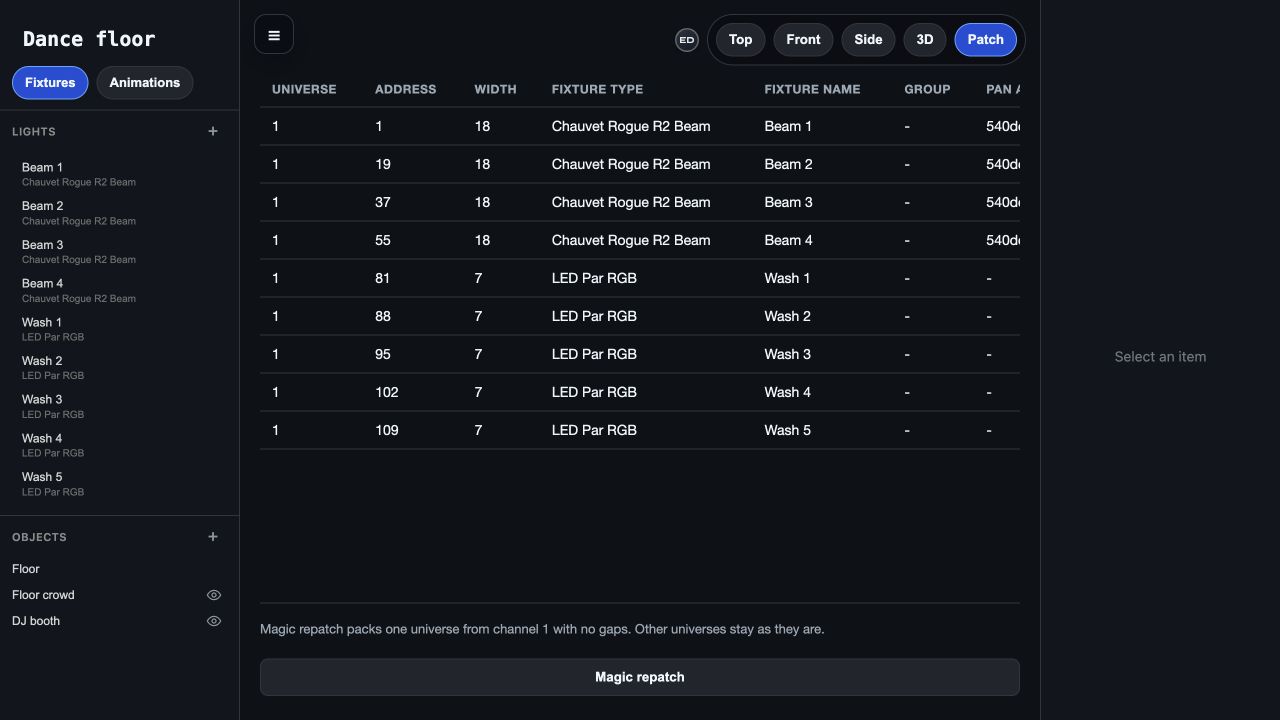
Enter the universe and Address in Add Light. For the 12-channel example above, set the lights’ addresses to 1, 13 and 25. Review their Width in Patch view and confirm those ranges do not overlap.
If you deliberately give identical fixtures the same address and mode, they share the same DMX commands. Use separate addresses when the show should control them independently.
STEP 3
Check colors on the hardware
Connect the bridge, select the show and turn Blackout off. Play music and choose a Color scheme. Compare the real wash with the preview, including overall dimming.
When the colors are wrong, check the profile and mode before changing the palette. White, amber and UV channels need the right channel layout. The preview is useful for placement; judge brightness and the final color mix in the room.
Troubleshooting
Red or green becomes a different color
Check the exact profile, channel mode and start address. Extra white, amber or UV channels can change the layout; do not substitute a generic RGB profile just because the fixture is a par.
The light stays dark, but other fixtures work
Check the light’s DMX mode and address, its incoming cable and any dimmer or shutter channel required by that mode. Confirm its footprint fits the universe and does not overlap another fixture.
Two pars always mirror each other
Check whether they have the same start address and mode. If you want independent control, use separate channel ranges. Also check that one light is not in master/slave mode.